
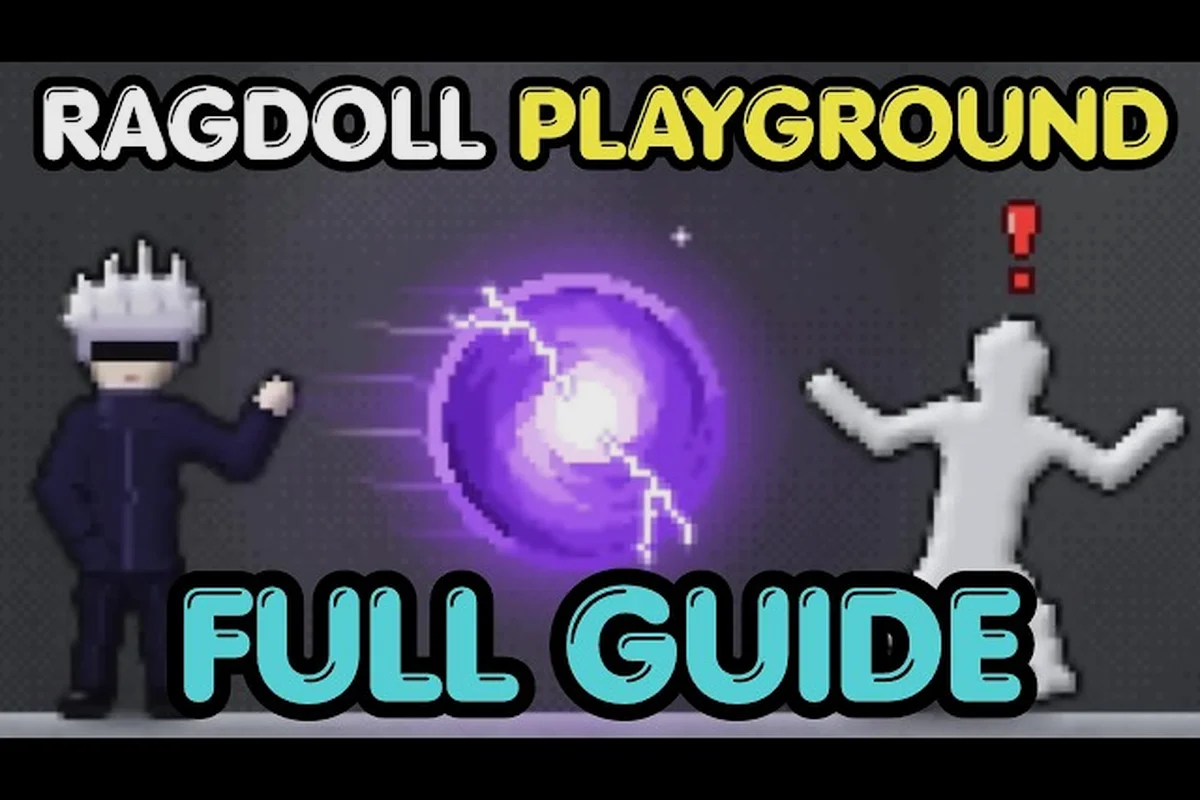
Learning how to use the nuke in Ragdoll Playground is simple once you know where its controls appear. The explosive delivers an immense blast, but smart positioning prevents your own character from getting caught in it.
Finding and Equipping the Nuke in Ragdoll Playground
The nuke is normally accessed through the game’s item or weapon interface rather than found as a conventional collectible. Open the inventory menu, locate the explosives or weapons tab, and select the nuke from the available list. Once it is equipped, it becomes the active item that responds when you use the item control.
Exact interface icons can change after an update, so look for the distinctive nuke symbol rather than relying on one particular tab position. If it is missing, check whether your character already has it, confirm that you are looking at the correct item category, and reload the session. The beginner guide to Ragdoll Playground explains how menus, reset tools, and core controls fit together for a cleaner first setup.
| Equipment stage | What to look for | Practical result |
|---|---|---|
| Inventory open | Weapons or explosives category | Access to the nuke entry |
| Nuke selected | Nuke icon becomes active | Item is ready to use |
| Item equipped | Active slot displays the nuke | Input can trigger the blast |
| Blast triggered | Large explosion effect | Nearby targets receive explosive force |
Selecting the Correct Active Item
Some players select a weapon in the menu without actually equipping it. That leaves the previous item active, so clicking the inventory button again may do nothing visible. Look for a highlighted selection, an active-item indicator, or the nuke icon in the hotbar, and then close the menu before testing the attack.
For a straightforward check, equip the nuke, move into an empty part of the room, and confirm that the active slot changes. Avoid testing it near the default dummy on the first attempt because an accidental blast can launch the target, debris, and your character in different directions. If you are still learning the menus, the weapon setup overview provides a useful reference for weapon selection and dummy-focused tests.
Desktop and Mobile Activation
On desktop, the standard action is to right-click or use the dedicated item-use control after equipping the nuke. The exact key binding may vary with your control settings, so check the game’s displayed controls if right-click does not work. On mobile, tap the use-item button after selecting the nuke.
The activation method matters because attempting to use the item while another action is active can create a confusing result. Make sure you are not currently grabbing the dummy, holding an object, or opening a menu. Finish that action first, equip the nuke, and then trigger it while standing clear of nearby targets.
Triggering a Safe and Effective Nuke Blast
A controlled nuke test begins with space, equipment, positioning, and activation. First, move to an open section of the sandbox. Next, equip the nuke from the weapon interface. Then place the dummy several body lengths away if you want to observe the blast from a safe distance. Finally, use the item action once and watch the resulting physics.
Do not assume the blast has a precise damage number. Ragdoll Playground emphasizes physical reactions, so the final impact also depends on distance, object placement, ragdoll movement, and the setup around the target. Community reports consistently describe the nuke as a high-impact explosive, although reported Explosion Radius, Blast Force, and Weapon Damage values may vary by version and should not be treated as official damage figures.
| Test variable | Close setup | Wide setup | Practical effect |
|---|---|---|---|
| Distance to dummy | Immediately beside it | Several body lengths away | Changes how directly the force reaches the target |
| Surrounding objects | Minimal clutter | Furniture, walls, or loose items | Affects ricochets and collision reactions |
| Character position | Behind an obstacle | Center of the room | Helps keep the player away from the main impact |
| Follow-up action | Stop and observe | Reset, heal, and reposition | Makes comparisons easier |
Establishing a Clean Test Range
A clear test range prevents the first explosion from becoming an accidental multi-object demonstration. Remove large loose objects, stand away from windows and walls, and place the dummy on open ground. If the goal is simply to see the largest visual blast, center the dummy and allow the full effect to develop. If you want to compare range, repeat the same setup from measured-looking distances.
Because the physics engine reacts to surrounding surfaces, a blast beside a wall may look different from one in the center of a room. For a fair test, keep the camera in the same position and avoid moving furniture between attempts. If you need broader sandbox ideas, the sandbox experimentation guide explains how changing room conditions can affect the result.
Recognizing the Activation Moment
The nuke gives immediate visual feedback through its large explosion, but the first frame may be easy to miss if the camera is moving. Watch the active-item icon before triggering, then keep the camera focused on the dummy. Pause immediately afterward if you want to study the launch trajectory. Pause can also help distinguish whether the target was lifted by the blast itself or pushed by a colliding object.
Do not repeatedly click the use control. A second input may queue another action or interrupt the first animation, making it harder to judge the result. Trigger one blast, pause to inspect it, reset the room, and only then run another comparison. This simple routine produces more reliable observations than continuous firing.
Comparing Nuke Damage With Other Weapon Types
The nuke belongs to the explosive category, and its appeal comes from area impact rather than precise contact attacks. A sword or chainsaw delivers Melee Damage through direct contact, while a firearm applies Ranged Damage through a projectile. The nuke differs because its Explosion Damage can affect a wider area and produce a stronger physical reaction.
This makes the question of which option is the Ragdoll Playground best weapon depend on the goal. The nuke is excellent for one-shot tests, crowd scenes, and dramatic launches. A firearm may be easier to control against a single target, while melee weapons can offer more predictable contact and timing.
| Weapon type | Main damage channel | Best use case | Main limitation |
|---|---|---|---|
| Nuke | Area-based explosion | Maximum single-blast impact | Harder to control and easy to overuse |
| Bomb | Concentrated explosive hit | Smaller explosive demonstrations | Less visual impact than the nuke |
| Firearm | Ranged projectile damage | Controlled distance attacks | Depends on aim and rapid use |
| Sword | Direct melee contact | Deliberate close-range strikes | Requires getting close |
| Chainsaw | Sustained contact effect | Continuous close-range interaction | Positioning remains important |
The nuke may be the Ragdoll Playground strongest weapon for raw explosive force, but “strongest” should be separated from “most useful.” In a compact room, the blast may propel your character as well as the dummy. On an open range, it offers a much clearer showcase. The weapon comparison reference broadens this comparison across guns, blades, bombs, and other items.
Nuke Versus Bombs
Bombs and nukes share the explosive category, yet their practical roles differ. A bomb is easier to place in a compact scenario and often works better when you want the reaction to remain near one target. The nuke creates a larger spectacle and usually produces a more dramatic ragdoll launch, making it better for recording a showcase or testing extreme physics.
| Test | Nuke | Bomb |
|---|---|---|
| Area occupied by effect | Very large | Smaller |
| Camera impact | Fills more of the scene | Easier to keep in frame |
| Player safety | Requires more open space | Easier to use at close range |
| Best presentation | Standalone cinematic blast | Targeted explosive gag |
| Repeatability | Reset and reposition carefully | Simpler to test repeatedly |
If you want a compact comparison, use the same dummy, the same camera angle, and the same surrounding furniture. Fire the bomb first, reset, and then fire the nuke from the marked position. Recording both attempts makes differences in ragdoll direction, launch distance, and visual scale much easier to judge.
Nuke Versus Melee Weapons
Melee weapons reward precision because the target must be contacted directly. The sword concentrates its effect at the point of impact, and a chainsaw creates repeated close-contact reactions. The nuke operates on a completely different scale because force arrives through an expanding blast rather than a blade.
A melee weapon can therefore be the better choice when you want to study a single body part, control the direction of a fall, or perform repeated strikes without clearing the room. The nuke is the better option when the objective is maximum launch distance or a large chain reaction. Comparing Contact Damage with Blast Force is more useful than treating every weapon as if it shared one invisible damage meter.
Nuke Versus Ranged Weapons
Ranged weapons such as guns let you apply repeated projectile impacts while remaining away from the dummy. This makes them easier to compare across shots and more convenient in multiplayer because one player can attack while another observes. The nuke produces a much larger impact area and a stronger launch, but it also demands more space and greater awareness of the player’s position.
| Consideration | Nuke | Ranged weapon |
|---|---|---|
| Attack range | Broad area around blast | Depends on projectile reach |
| Precision | Low | Higher |
| Repeat attacks | Often requires reset | Usually easier |
| Reaction size | Large launch and visual effect | Repeated localized impacts |
| Best role | Cinematic destruction | Controlled target practice |
For many comparisons, the safest conclusion is that the nuke leads in explosive spectacle while a ranged weapon leads in control. That distinction also explains why the nuke can qualify as the Ragdoll Playground best weapon for a one-time display without being the right tool for every target.
Positioning, Physics, and Practical Safety
The nuke looks simple, but the physics around it determine whether the blast is useful or chaotic. Your character has a physical body, and nearby objects can become part of the reaction. Keep the main test lane open, face the dummy, and leave yourself enough distance to watch the launch without being struck by the strongest part of the explosion.
The character can still collide with the dummy or debris even when the blast seems safe. When experimenting with dense environments, use the pause feature at the moment of impact and slow the sequence down. This makes it easier to identify what caused the launch and whether the nuke’s force, a nearby object, or the room geometry produced the final motion.
| Safety step | Why it helps | What to watch |
|---|---|---|
| Use an open lane | Reduces unexpected collisions | Clear path around the dummy |
| Keep the dummy off walls | Prevents bounced movement from obscuring results | Launch direction |
| Stand beyond the central effect | Protects your character from the main force | Camera framing |
| Pause after impact | Separates visual steps | Contact and launch sequence |
| Reset before repeats | Restores a comparable environment | Object positions |
Choosing Distance Based on the Goal
If you want the nuke to throw the dummy dramatically, place the target within the main visible blast and give it open space in the intended direction. If you want a safer demonstration, put the dummy farther away and accept that the reaction may be less dramatic. The exact distance is less important than keeping it consistent between tests.
This method also lets you evaluate the weapon without claiming a fixed damage value. If two blasts from the same distance produce different results, inspect whether the target began in a different position or whether objects moved during the first test. Reset the entire room instead of only respawning the dummy, since leftover debris can change the second reaction.
Combining the Nuke With Other Tools
The nuke can launch the dummy into environmental hazards or other hazards can prepare a larger impact. A small amount of setup may create a stronger chain reaction, but every added object also introduces variables. Test the nuke alone before adding a second effect so you can identify the cause of the outcome.
The weapon combinations overview is useful for staged setups, particularly when you want to separate the nuke’s direct effect from a secondary collision. Keep the first test simple, then add one variable at a time. This approach is more informative than placing several tools around the dummy before the first blast.
Resetting After a Large Blast
A powerful explosion can scatter the room, send the camera into an awkward angle, and leave the dummy in a difficult position. Use the room reset rather than trying to manually restore every object. Resetting also helps when comparing weapons because it gives each test a clean baseline.
If the dummy appears difficult to recover, pause before moving closer, reset the room, and begin again. The control and reset guide covers the relevant recovery tools. Remember that the reset action may remove your current setup, so recreate only the essential elements for the next test.
When to Choose the Nuke Instead of Another Weapon
Choose the nuke when the goal is a large, immediate, cinematic blast. It is especially suitable for testing extreme ragdoll reactions, demonstrating explosive damage, or creating a dramatic scene with room to operate. It is less suitable when you need precise contact damage, repeated attacks without resetting, or a compact area where your own character may interfere.
The nuke earns its reputation as the Ragdoll Playground strongest weapon in scale, not versatility. A firearm can produce more controlled ranged attacks, while a sword or chainsaw can target a specific contact point. If the nuke result feels weak, the issue may be setup rather than weapon power: an object may be blocking the dummy, the camera may hide the reaction, or the target may be too far from the central effect.
| Goal | Recommended weapon | Why |
|---|---|---|
| Maximum cinematic blast | Nuke | Largest visible explosion and launch |
| Precise close-range hit | Sword | Direct contact and controlled timing |
| Repeated distant attacks | Firearm | Predictable projectile use |
| Smaller targeted explosion | Bomb | Easier to contain near one target |
| Rapid close-contact effect | Chainsaw | Sustained interaction at short range |
| Testing environmental reactions | Nuke | Strong force can create chain reactions |
A good final test uses three attempts: one nuke blast, one ranged attack, and one melee strike. Keep the camera fixed and reset the room between attempts. This reveals not only which weapon creates the biggest reaction, but also which method offers the clearest control for your preferred play style.
Frequently Asked Questions
How do I equip and activate the nuke in Ragdoll Playground?
Open the inventory, enter the weapons or explosives section, select the nuke, and confirm that it appears in your active item slot. Close the menu and use the item action, normally right-click on desktop or the corresponding button on mobile. Stand in an open area first because the blast can affect your own character.
Is the nuke the strongest weapon in Ragdoll Playground?
The nuke is generally regarded as the strongest explosive option because it produces a much larger blast and launch than a conventional bomb. That does not make it the most precise or convenient weapon. A firearm is easier to control, while a sword or chainsaw offers more focused melee contact and ragdoll playground weapon damage in specific scenarios.
Does the nuke have a fixed damage value?
There is no need to rely on an unofficial number to understand the weapon. The visible result depends on the blast distance, the dummy’s starting position, surrounding objects, and the game’s physics reactions. Community testing describes the nuke as having high explosion damage, but exact values may vary by platform, version, or setup, so repeatable visual tests are more reliable.
Should I use the nuke near the default dummy?
Avoid testing it immediately beside the default dummy until you understand the blast radius and physics. Move into an open lane, place the dummy with space behind it, and trigger the item from a safer distance. This improves the camera view and prevents a collision with the dummy or nearby objects from confusing the weapon’s actual explosive effect.
Can I combine the nuke with other weapons?
Yes, but test the nuke alone before adding another weapon. A firearm, sword, chainsaw, bomb, or environmental hazard can create a staged chain reaction, although each addition changes the physics. Reset between trials so you can identify whether the primary launch came from the nuke or from a later collision.