
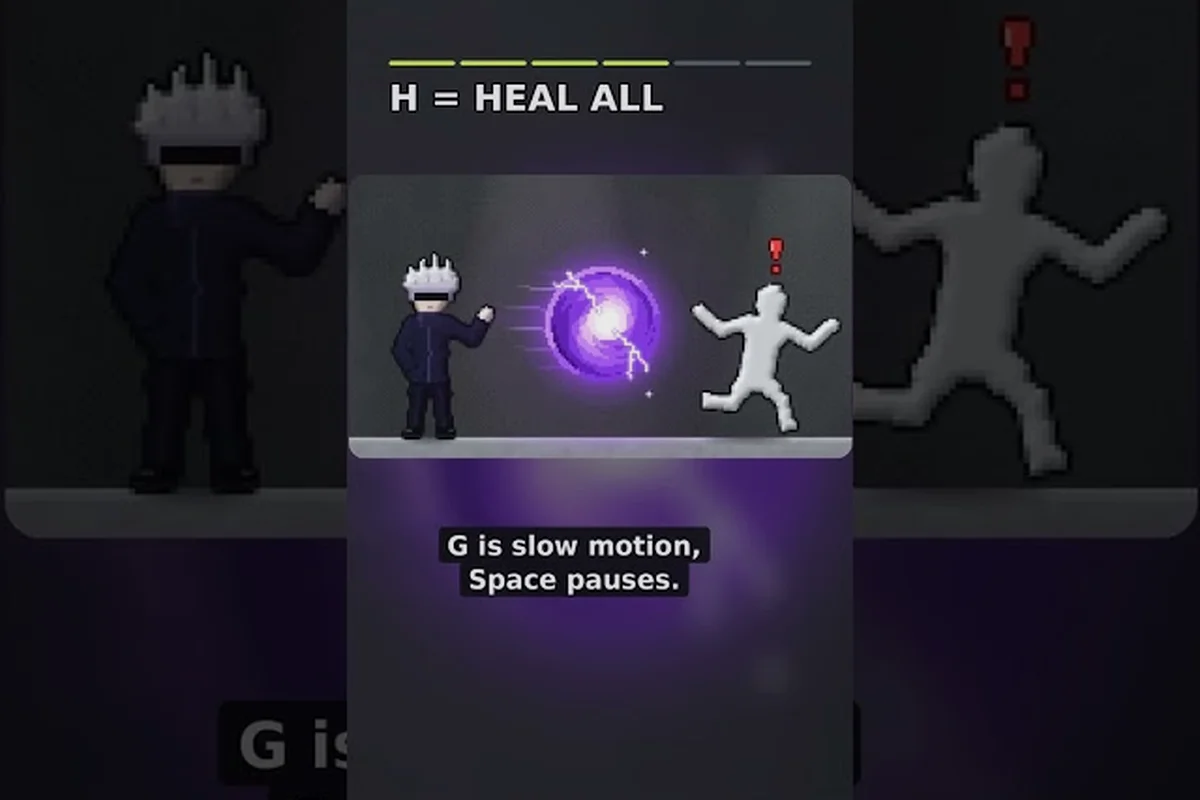
The ragdoll playground time stop trick turns frantic sandbox action into a controlled physics experiment by freezing the dummy at a precise moment, preventing gravity, collisions, and joint momentum from changing the scene while you plan the next effect. Unlike slow motion, which only reduces the simulation speed, time stop holds the action still, making it easier to position a ragdoll for a black hole combo, tornado combo, or meteor combo. It also creates a practical testing window: pause first, inspect the setup, then release the effect and compare the resulting trajectory before adjusting the power or placement.
Time Stop Trick: The Basic Setup
The most useful ragdoll playground time stop trick is to stop motion while the dummy is already airborne, rotating, or being affected by another force. The goal is not merely to make the scene look still. A successful freeze gives you time to inspect a setup, change the next power, and release the action at the exact point you selected.
Begin by learning the basic controls in the beginner guide. Select the dummy, place it above a clear test area, and trigger an action that produces continuous motion. A fling, fall, or impact is ideal because it creates a visible mid-action state that is easy to recognize.
| Step | Action | Purpose |
|---|---|---|
| 1 | Position the dummy in open space | Prevents nearby objects from obscuring the freeze |
| 2 | Start a fling, fall, or collision | Creates visible airborne movement |
| 3 | Activate the time-control power | Freezes the current simulation state |
| 4 | Adjust the next tool or target position | Prepares a controlled follow-up effect |
| 5 | Release time | Lets the stored physics state continue |
Finding a Clean Freeze Frame
The cleanest freeze usually occurs while the dummy is isolated from large objects and complicated terrain. Gravity, rotation, and collision responses can make later frames harder to read, especially when the body is bouncing across a cluttered room. Keep the test area open if your goal is to observe the result clearly.
A practical sequence is to send the dummy upward at a slight angle. Pause near the highest visible point, then watch its posture before releasing time. This creates a stable reference frame without requiring a perfectly straight throw. If the dummy clips a wall, floor, or another prop, the freeze may preserve a less useful position.
Why Position Matters: Time Stop Trick
Freeze placement determines what happens next because the stored state includes the dummy’s position, rotation, and current motion. A freeze taken beside a wall could cause a collision as soon as time resumes, while the same freeze in open space lets the body continue along its original path.
Community experience often favors simple one-variable tests. Players report that changing only one element at a time makes it easier to identify which power caused a specific result. The same principle applies to the ragdoll playground time stop trick: freeze first, change one thing, and then resume the simulation.
Slow Motion vs Time Stop
The ragdoll playground slow motion vs time stop comparison comes down to control. Slow motion reduces the simulation speed while keeping movement visible, whereas time stop suspends the current state until you release it. Neither replaces the other; slow motion helps you approach a moment, and time stop helps you preserve it.
| Feature | Slow Motion | Time Stop |
|---|---|---|
| Simulation state | Continues | Suspended |
| Best use | Observing trajectories and impacts | Inspecting and preparing a setup |
| Movement on screen | Visible but reduced | Fully held in place |
| Practical value | Refines aim and timing | Creates exact setup checkpoints |
| Common mistake | Using it too early | Freezing before the action develops |
Slow Motion for Approach
Slow motion is most useful during the first part of an experiment. When you throw the dummy toward a target, reducing the simulation speed makes the arc easier to follow. It also makes it easier to decide whether the next power should land before, during, or after impact.
However, slow motion is not a precise freeze. The dummy continues to fall, rotate, and respond to contacts while the scene runs at a reduced rate. If you need to create a stable checkpoint, the ragdoll playground time stop trick is the stronger option because it removes movement entirely until the release.
Time Stop for Inspection
Time stop is better when the scene has already reached an interesting state. You can freeze the dummy next to a hazard, examine its orientation, or move another tool into position. This makes it especially useful for building ragdoll playground power combos where one effect must begin at a precise location.
Use slow motion while aiming and time stop after aiming. Slow motion makes the ragdoll’s momentum, rotation, and collision path easier to judge before committing to a target; time stop then locks that position so the setup cannot drift before the next effect arrives. For example, pause a ragdoll beside a black hole or tornado effect, confirm its alignment, and release the follow-up power only when the frozen geometry matches the intended path.
Power Combos Built Around the Freeze
The ragdoll playground time stop trick becomes more valuable when it serves as the checkpoint between powers. A combo does not need every tool to land simultaneously. It can be designed as a controlled sequence: create motion, freeze it, reposition the next effect, and release.
| Combo | Sequence | Main benefit |
|---|---|---|
| Time Stop + Black Hole | Freeze beside the gravity well, then release | Places the dummy near the black hole’s pull |
| Time Stop + Tornado | Hold the body in the tornado path, then resume | Aligns it with the rotating airflow |
| Time Stop + Meteor | Mark the impact area while frozen, then trigger the strike | Creates a more deliberate collision point |
| Slow Motion + Time Stop | Slow the approach, freeze at the peak, then release | Improves accuracy before a larger effect |
| Freeze + Reposition + Power | Stop, move the dummy or tool, then release | Demonstrates cause and effect clearly |
Black Hole Combo: Time Stop Trick
For a ragdoll playground black hole combo, freeze the dummy in open space beside the intended gravity effect. Place the black hole first if possible, then use the freeze to position the body close enough to interact with its pull. On release, the stored movement and the black hole’s influence can act together.
Start with a controlled time-stop test: suspend the ragdoll in open space, without walls, weapons, or extra forces, so gravity is the only active influence. Release it from a slight sideways angle and watch whether the body drifts, drops, or settles straight down; this isolates the interaction between stored momentum and the gravity effect. After noting that baseline, introduce one additional force and compare the result, keeping the time-stop duration and starting position unchanged.
Tornado Combo
A ragdoll playground tornado combo benefits from a freeze taken near the edge of the visible airflow. The tornado’s rotation will influence the body as soon as the simulation continues. Positioning beforehand lets you test whether the dummy enters the vortex cleanly or strikes the surrounding geometry first.
For a cleaner test, aim at the same height where the body was suspended. If the initial position is too low, floor contact can interrupt the intended path before the tornado effect becomes clear. If it is too high, the body may travel past the visible airflow before the rotation can affect it.
Meteor Combo
The ragdoll playground meteor combo is easiest to stage by freezing the dummy above or near the intended impact zone. Position the meteor or its trigger, release time, and let the two motions meet. This produces a clearer experiment than activating the meteor at random while the dummy is already moving.
For presentation, a wide camera angle can show the complete arc, while a closer view highlights the impact itself. For comparison, run the same setup once without a freeze and once with the checkpoint. The repeated setup makes the difference between random timing and deliberate staging much easier to see.
A Precise Four-Stage Time Stop Procedure
The ragdoll playground time stop trick becomes reliable when you divide the action into four stages: motion, checkpoint, adjustment, and release. This procedure works because it separates observation from setup, preventing the target from drifting while you choose the next power.
Stage 1: Produce Visible Motion
Use a moderate fling rather than the strongest launch available. Excessive speed can make the exact freeze frame difficult to identify, while a slow object may stop so gently that its motion is hard to read. Aim for a clear arc that remains visible for more than a moment.
Stage 2: Capture the Checkpoint
Activate time control when the dummy reaches the most useful location. That may be the top of its arc, the beginning of a fall, or the instant before a planned collision. The checkpoint does not need to represent the beginning of the throw; it only needs to support the next stage.
Stage 3: Adjust the Scene
With time suspended, move the next power, change the dummy’s orientation, or clear an obstruction. Avoid making several large changes at once because that makes the later result harder to interpret. If you are comparing powers, keep the starting position and motion identical between tests.
Stage 4: Resume and Observe
Release time and watch the entire interaction, even if the first contact is uneventful. Physics effects can unfold in stages. A black hole may take time to bend the path, a tornado may pull the body inward gradually, and a meteor may produce a sequence of impact reactions rather than one instantaneous conclusion.
| Variable | Keep constant for a fair test | Change when testing progression |
|---|---|---|
| Dummy launch angle | Starting direction | Comparing power types |
| Distance from target | Initial separation | Changing effect strength |
| Time-stop location | Checkpoint point | Testing a new sequence |
| Camera position | View and framing | Showing a different detail |
| Room contents | Obstacles and props | Testing collision behavior |
Testing Power Combos Without Randomness
Random-looking outcomes can make a powerful combination feel ineffective. The ragdoll playground time stop trick reduces randomness by creating a repeatable checkpoint. That does not guarantee identical physics in every session, but it gives each attempt a clearly defined starting condition.
A useful experiment sheet contains four fields: the desired effect, the checkpoint position, the second power, and the observed result. Run the same setup twice when possible. If the outcomes differ, look for room clutter, camera direction, or slight changes in the initial launch as possible causes.
| Goal | Checkpoint | Follow-up effect | What to observe |
|---|---|---|---|
| Show gravitational pull | Beside the black hole | Release stored fall | Direction change over time |
| Show vortex motion | Along the tornado edge | Resume into airflow | Rotation and inward pull |
| Create a clean impact | Above the target area | Trigger meteor | Contact point and reaction |
| Demonstrate control | At the top of a throw | Reposition the body | Difference between planned and random placement |
Comparing Tool Strength
When testing strength, hold the checkpoint constant and change only the follow-up effect. This lets you compare a black hole, tornado, and meteor without confusing the results with different launch distances. Let each sequence finish before resetting, because an early reset can hide secondary motion.
For broader reference, the complete powers overview can help identify which environmental effects to include. In a time stop trick, use the stopped frame to set up one causal chain: freeze a ragdoll near a black hole, tornado, or meteor, then resume time so the next effect has a clearly visible source. For example, a time stop followed by a black hole pulls the ragdoll inward, while a tornado carries it across the arena and a meteor adds a high-impact collision. The important part is not to maximize the number of powers; it is to make every transition readable and purposeful.
Building a Repeatable Showcase
A repeatable showcase should use one camera position, one dummy launch, and a fixed checkpoint. Change the second power for each run. This creates a clear series in which viewers can focus on what each power adds rather than wondering whether the launch changed.
Use slow motion for the approach and time stop for the checkpoint in each run, then hold the camera and dummy launch steady while changing only the second power. This creates a controlled comparison: slow motion reveals the ragdoll’s momentum and impact direction, while time stop freezes the checkpoint phase for clearer timing. Testing power combos such as the black hole combo, tornado combo, or meteor combo under the same structure shows which effect adds a distinct displacement, pull, or impact before the final freeze. That consistent workflow turns the ragdoll playground time stop trick from a one-off visual effect into the foundation of a larger experiment series.
Common Mistakes and Quick Corrections
Most failed time-stop attempts come from freezing too early, moving the target while the scene is still running, or stacking too many effects without a clear goal. Each issue can be corrected with a small change in the sequence.
| Mistake | Why it weakens the setup | Correction |
|---|---|---|
| Freezing before movement begins | There is no meaningful state to inspect | Throw or fling first |
| Using time stop for aiming | The target can drift before release | Use slow motion instead |
| Moving multiple objects | The result becomes hard to interpret | Change one variable |
| Freezing inside clutter | The next collision may interrupt the effect | Use an open test area |
| Releasing too soon | You miss the planned contact | Hold until alignment is confirmed |
| Treating every combo as instantaneous | Secondary physics may not be visible | Observe the full aftermath |
Freeze Only Meaningful States
A meaningful state has a clear purpose: the body is airborne, positioned near a target, or about to make contact. Freezing a motionless dummy at the start of a room adds little because there is no transition to observe. Start with visible motion and use the checkpoint to preserve the point where your next tool should matter.
Keep Slow Motion and Time Stop Separate: Time Stop Trick Done Right
Confusing the two controls makes it tempting to keep time stop active for entire sequences. Use the ragdoll playground slow motion vs time stop distinction deliberately: slow motion should help you read an approach, while time stop should protect one selected instant. Holding both concepts at once usually makes the result harder to judge.
Confirm the Release
After adjusting the scene, make sure the time-control state is released before evaluating the result. Some setups may appear inactive because the scene is still suspended, not because the chosen power failed. A deliberate release and a full observation period prevent that confusion.
Frequently Asked Questions
What is the best way to use the ragdoll playground time stop trick?
The best way is to create visible motion, freeze the dummy at a meaningful checkpoint, position the next power, and then release time. This works better than freezing before the action because it gives you a specific physics state to build on and makes each result easier to compare.
Does slow motion replace time stop in Ragdoll Playground?
No. Slow motion reduces the simulation speed while the scene continues, making it useful for reading trajectories and timing an approach. Time stop suspends the scene so you can inspect or reposition it. Use slow motion while aiming and time stop when you need an exact checkpoint.
Which power works best after freezing the dummy?
There is no universal answer because each effect demonstrates a different mechanic. A black hole is useful for gravity experiments, a tornado works well for rotational motion, and a meteor is effective for a deliberate collision. Keep the starting state fixed when comparing them.
Can I use a frozen dummy as the starting point for several powers?
Yes, but only if you reset between tests. Move the next power while frozen, release time, and observe the complete result. Then restore the same starting position before trying another effect; otherwise, changing several variables at once makes it difficult to identify what caused the outcome.