
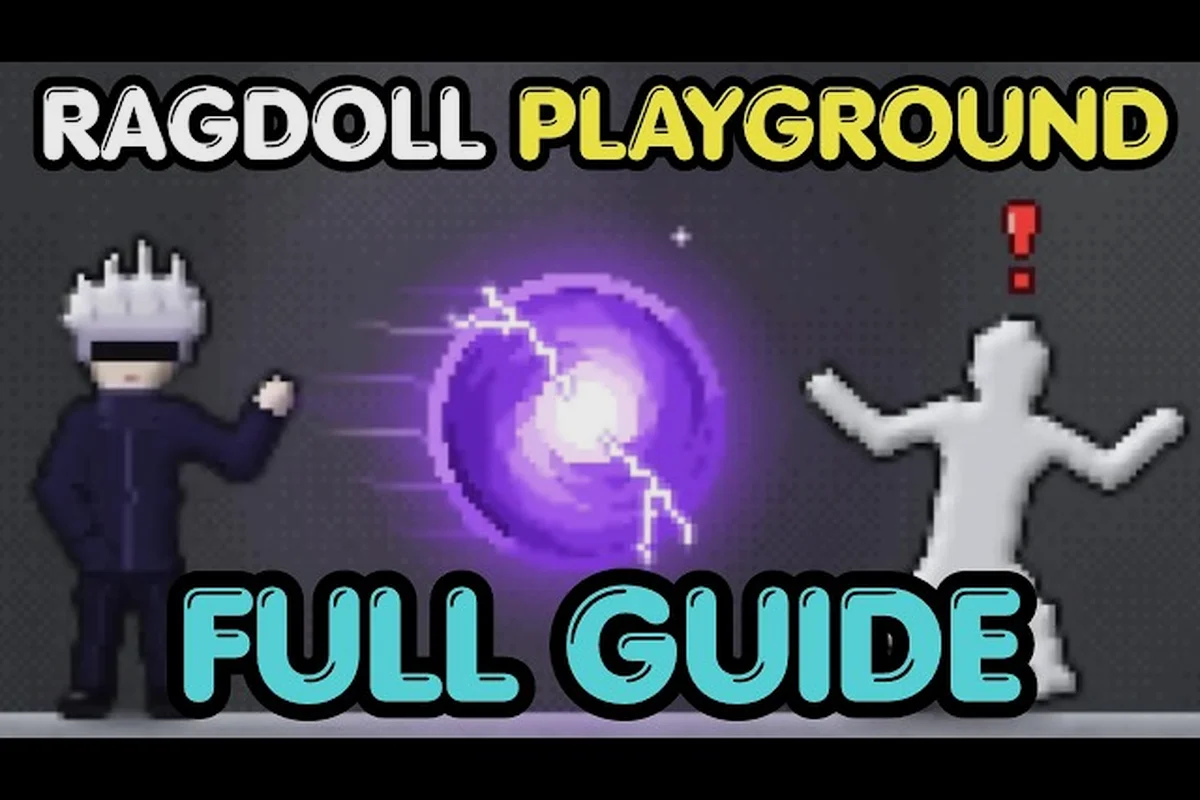
Ragdoll Playground all powers give you four distinct ways to reshape the sandbox: pull, swirl, crash, and freeze. Knowing each effect matters because the right ability changes how you test physics, stage a scene, or create a more dramatic dummy reaction.
Powers List and Core Mechanics
The Ragdoll Playground powers list contains four published powers: black holes, tornadoes, meteors, and time stop. The official Ragdoll Playground game page identifies those four options, while slow motion operates as a separate control rather than a fifth power. That distinction prevents a common mistake: treating every environmental or time-based effect as part of the same menu. A player can use a dedicated power, switch weapons, or change the world through other mechanics, but those systems should not be added to the powers list without evidence from the official game page.
| Power | Primary effect | Best use | Main distinction |
|---|---|---|---|
| Black hole | Pulls objects inward through simulated gravity | Moving, trapping, or suspending ragdolls | Gravity-focused power |
| Tornado | Swirls nearby objects in a rotating funnel | Spinning and scattering multiple targets | Rotation-focused power |
| Meteor | Drops a large object from above | Impact, falling damage, and sudden force | Collision-focused power |
| Time stop | Temporarily halts the simulation | Precise positioning or observing a frozen scene | Time-focused power |
| Slow motion | Separately bound to the G control | Examining motion gradually | Not one of the four powers |
Each power affects the scene differently, so there is no single universally strongest option. Black hole excels at controlled attraction, tornado creates broad rotational movement, meteor delivers a heavy downward impact, and time stop offers precise control over when the scene advances.
How to access the powers
Open the game’s item-selection interface and choose the powers category, then select one of the available effects from the on-screen selector. The interface may change when the game updates, so use the visible menu rather than relying on a fixed keyboard shortcut for selecting the power itself.
A verified community walkthrough, Blueburry’s Ragdoll Playground guide, shows the room, weapon, power, and creature menus while demonstrating how the dummy responds to each option. It works as a useful visual companion because it displays the selector and its real in-game context, although it does not reveal hidden numerical statistics.
Time stop and slow motion are different
Ragdoll Playground time stop is a selectable power, while slow motion is a separate control bound to G. Slow motion reduces the apparent speed of the simulation, making it easier to inspect a fall or follow a ragdoll’s trajectory. Time stop behaves more like a complete pause for the scene, which is useful when you need to place or study an object before movement resumes.
This distinction also changes your setup. If you want to watch every stage of a collision, use slow motion. If you want the world to remain fixed while you position a target, choose time stop. For broader control fundamentals, the Ragdoll Playground keyboard controls guide explains how separate controls fit around powers and items.
Black Hole Power and Tornado Physics
A black hole and a tornado both influence nearby bodies, but their movement patterns are fundamentally different in Ragdoll Playground. The black hole pulls ragdolls toward one concentrated focal point, causing nearby characters and objects to accelerate inward and cluster around the singularity. The tornado instead generates a broad, funnel-shaped wind field that pushes ragdolls along a circulating path, making it better for scattering targets across a wider area. This difference matters when combining powers: use the black hole to gather several ragdolls into one target zone, then deploy the tornado to launch the clustered group outward with greater force.
black hole: gravity and positioning
The Ragdoll Playground black hole creates an attractive force that pulls nearby objects toward its center. This makes it useful for dragging the dummy toward a specific point, bringing loose objects together, or keeping a target suspended near the effect while the scene remains active.
For a reliable demonstration, begin with the dummy within the affected area and let the force act gradually. Strong visual results usually come from starting at medium range: too close and the motion may happen quickly, while too far away can make the effect look inactive.
| Placement | Expected result | Practical purpose |
|---|---|---|
| Far from the effect | Weak initial pull | Confirms the black hole’s range |
| Medium distance | Visible acceleration toward the center | Best for a clear demonstration |
| Close to the center | Rapid convergence | Useful for compact collision scenes |
| Behind solid cover | Varies with the scene | Tests environmental interaction |
The most useful lesson about the black hole is that it is a gravity simulator, not merely an explosive effect. Its value increases when the scene includes movable objects with different masses or when the player positions a target near a wall, platform, or other surface.
Using the black hole step by step
Select the black hole from the powers interface, position it in an open area, and then activate it with the game’s normal item-use action. Keep the dummy in motion rather than placing it directly at the center if you want to observe the full attraction sequence.
A practical test sequence is: begin with the black hole power at medium distance, record the dummy’s first pull and acceleration, then compare its path with nearby props and another spawned body. This controlled setup helps distinguish the black hole’s attraction radius from simple collision or dragging, while keeping the ragdoll physics visible enough to judge how quickly each body bends toward the effect.
-
Place the dummy at medium range from the effect.
-
Activate the power and observe the initial pull.
-
Move another object into the path to show how surrounding bodies converge.
-
Use the effect with a creature or spawned group if you want to compare single-target and group movement.
If you need advice on positioning, grabbing, and throwing the dummy, the beginner guide to controlling the dummy adds useful context for handling bodies before a power pulls them. For example, you can grab the dummy by an arm, drag it slightly to the side, and release it just before the black hole reaches the body; this can reveal whether the resulting motion comes from your throw, the attraction field, or a collision with another prop. The same positioning logic applies when comparing the black hole power with the tornado power, since controlling the dummy’s starting point helps isolate each effect’s pull and movement pattern.
tornado: rotation and group motion
The tornado produces a rotating force that catches nearby objects and moves them around the funnel. Compared with the black hole’s inward pull, this effect emphasizes angular movement, making it effective for spinning a ragdoll, lifting multiple objects, or creating a scattered trail around the funnel.
Players often ask about the steps for using the tornado because the result changes with distance and timing. Start with a target outside the center of the funnel, activate the effect, and let the rotation develop. This gives the viewer a clear comparison between the stationary beginning and the increasingly chaotic motion.
| Tornado variable | Practical observation | Why it matters |
|---|---|---|
| Target distance | Outer objects enter later than nearby ones | Shows the effective radius |
| Object quantity | Several targets create overlapping paths | Demonstrates group control |
| Target height | Elevated objects may travel differently | Reveals the vertical pull |
| Activation timing | Early activation catches more motion | Improves large-scale reactions |
The tornado is especially useful when the goal is to make ordinary targets interact unexpectedly. Pulling several creatures into the same rotating zone can produce a more elaborate scene than using one target. For broader creature comparisons, the complete creature guide explains how different summoned beings can be introduced into a power test.
Meteor Power and Time Stop Control
In Ragdoll Playground, the Meteor Power is best used to create a sudden, downward collision that can knock ragdolls away, cause damage, or turn a crowded scene into a crash test. Time Stop Control instead freezes the action, giving you a narrow window to reposition objects or trigger another power precisely. For example, pause the simulation to place a target beneath the falling path, then release Time Stop so the Meteor lands where you intended. One power supplies the impact; the other solves timing and positioning.
Summoning a meteor
To summon a meteor in Ragdoll Playground, open the powers menu, select the meteor power, aim at the desired landing point, and activate it. The object travels down from above and lands with a heavy collision, affecting the ragdoll and any nearby objects caught beneath its impact path. Because the force comes from overhead, a centered strike produces the clearest knockdown, while a slightly offset landing can knock over adjacent targets. The table below separates these outcomes into direct, offset, and distant strikes, making it easier to compare the meteor’s impact radius and falling path during repeated tests.
Because the effect comes from overhead, target placement is the central skill. Players who aim directly at the dummy may receive the strongest immediate collision, while an offset strike can show the traveling object before it lands. Testing different distances also helps reveal the effect’s radius without repeatedly disturbing the dummy.
| Meteor test | What to watch | Best demonstration |
|---|---|---|
| Direct overhead strike | Immediate downward impact | Heavy collision and knockdown |
| Slightly offset strike | Falling path and impact spread | Shows the meteor’s scale |
| Distant landing | Nearby secondary reaction | Reveals the affected area |
| Repeated reset tests | Consistent starting position | Makes comparisons easier |
The practical advantage of the meteor is its visible direction of force. The black hole and tornado can move a target gradually, but the meteor delivers a strong vertical event. It also pairs naturally with environmental materials, as described in the element interactions overview, because an impact can trigger chains involving fire, water, sand, or lava.
How time stop changes the scene
Ragdoll Playground time stop is valuable when a player needs the environment to remain still while something is arranged. The effect is less about destruction and more about control. It can help isolate a target, frame a suspended object, or show what a scene looks like immediately before motion resumes.
The difference from slow motion matters because time stop freezes the entire simulation, including ragdoll bodies, props, and environmental effects, instead of merely reducing their movement speed. For example, you can position a ragdoll beside a tornado, activate time stop, and inspect the exact moment before the vortex pulls it away; with slow motion, the same setup would continue evolving at reduced speed.
-
Time stop holds the simulation at its current moment.
-
Slow motion reduces movement speed so a viewer can follow it.
-
Ordinary play lets the scene move at its standard rate.
A clean time-stop test begins with the dummy already in motion, activates the power near the peak of the action, and then examines the frozen result. If the effect is used too early, the scene may simply look inactive. If it is activated at the right moment, it can preserve a more expressive pose.
Combining control and impact
Time stop is most useful as preparation for another power. One possible sequence is to position the dummy with time stop, activate it, and then use the meteor while the scene remains controlled. Another sequence uses the effect to freeze a ragdoll that has already been moved by a tornado or pulled toward a black hole.
| Combination | Sequence | Result |
|---|---|---|
| Time stop + meteor | Freeze first, target second | Controlled impact setup |
| Time stop + black hole | Hold the target near a chosen point | Compact gravity scene |
| Time stop + tornado | Pause during rotation | Frozen mid-spin display |
| Slow motion + meteor | Observe the fall in detail | Emphasizes descent and collision |
These combinations rely on the same basic controls and item logic used elsewhere in the game. The weapon and item mechanics overview can help clarify how switching between a power and a conventional item affects the sequence.
Practical Power Combos and Testing Strategies
The best combo depends on the intended result. If the goal is a clean demonstration, test one power at a time. If the goal is a layered scene, use a control power to arrange the targets and a destructive power to finish the action.
A controlled three-stage setup
A reliable testing method begins with a simple baseline, then adds one Ragdoll Playground power before introducing a second effect. For example, record the ragdoll’s resting position and basic movement, activate a black hole or tornado and note its pulling or spinning effect, then layer on time stop or slow motion. Resetting the scene between stages keeps target position and displaced objects from skewing the comparison, making it easier to identify which power caused each motion or impact.
| Stage | Action | Purpose |
|---|---|---|
| Baseline | Record the dummy at rest and in basic motion | Establishes normal behavior |
| First power | Add a black hole, tornado, or meteor | Identify the main effect |
| Control layer | Add time stop or slow motion | Reveal timing and movement |
| Comparison | Reset and repeat with a different target | Compare results fairly |
Resetting between tests is essential because ragdolls can end up in distant positions, and the room may contain displaced objects that affect the next attempt. If you are still learning the reset process, the room reset guide covers the relevant control alongside restoration.
Best uses by goal
-
Move one target steadily: Use the black hole at medium range.
-
Move several targets dramatically: Use the tornado around a small group.
-
Create a downward impact: Use the meteor and mark the landing area.
-
Inspect a difficult motion: Activate slow motion before the collision.
-
Frame a precise scene: Use time stop after arranging the target.
-
Test a chaotic scene: Combine a rotational or gravity effect with a meteor.
-
Compare power range: Keep the starting position and target unchanged between attempts.
What to record during each test
A simple test log makes power comparisons much easier to understand. Record the power, target distance, starting position, and main result. Over time, this reveals whether a short dramatic clip was caused by ideal placement or by an accidental environmental interaction.
Useful fields include the exact power used and its activation timing, plus whether the target was moving, the distance between the target and the effect, any nearby creatures, weapons, or environmental materials, the body’s final position and direction, and whether a reset was required. Recording these details lets you compare effects such as the black hole, tornado, time stop, and summoned meteor instead of judging them only by the final animation; for example, a meteor impact may look powerful because of its blast radius, while a tornado may produce a different result because of how it pulls nearby bodies and objects.
-
The selected power and activation moment.
-
Whether the target was moving before activation.
-
Distance between the target and the effect.
-
Any creatures, weapons, or environmental materials present.
-
The final position and direction of the body.
-
Whether a reset was needed before the next test.
This method is especially helpful for players designing sandbox scenarios in Ragdoll Playground, where the goal is to turn individual powers such as black hole, tornado, time stop, or summoned meteor into repeatable challenges rather than isolated visual effects. For example, you can require a ragdoll to cross a marked distance while gravity is reversed, then test whether the same activation works with a moving target and the same timing recorded in the log. The sandbox tips breakdown offers additional ways to extend a basic power demonstration into a challenge with a clear success condition, controlled variables, and a reset rule.
Power Effects Compared by Control and Damage
A useful Ragdoll Playground all powers comparison separates control, disruption, impact, and timing because each ability changes the scene differently: black hole pulls nearby objects inward, tornado rotates and lifts several targets, meteor delivers one concentrated collision, and time stop freezes the active scene for precise repositioning. For example, use the black hole when gathering scattered ragdolls into one area, the tornado to reposition multiple bodies, and meteor to test high-impact destruction rather than reliable crowd control.
| Category | Black hole | Tornado | Meteor | Time stop |
|---|---|---|---|---|
| Main target | Objects near center | Objects near funnel | Area beneath impact | Entire active scene |
| Movement style | Inward attraction | Circular and lifting | Downward collision | No normal advancement |
| Destruction emphasis | Low to moderate | Moderate | High | Low |
| Control emphasis | High | Moderate | Low | Very high |
| Best target count | One or several | Several | One concentrated impact | Any |
| Main learning goal | Gravity | Rotation | Collision | Timing |
Destructive versus practical power
The meteor is the clearest choice for a dramatic impact. It is easy to see, produces a strong directional event, and works well with a reset-based demonstration. The tornado sits between direct impact and environmental manipulation because it creates motion across multiple objects.
The black hole offers more precise attraction, which can be useful when the objective is to move something into a specific location. Time stop does not destroy anything on its own, but it improves control over nearly every other activity. That makes it the most useful power when precision matters more than immediate chaos.
Choosing a power for a new player
A beginner should learn each effect in a simple environment before combining them. Start with the black hole because its attraction is visually easy to understand. Next, try the tornado with two or three nearby objects. Test the meteor at a safe offset before placing the dummy directly under it. Finally, use time stop during a moving scene to learn how the pause feels.
This staged approach prevents every result from looking random because each power reveals a different interaction pattern before you combine them. For example, the black hole can show how objects are pulled into one cluster, while the tornado can expose how nearby bodies collide and spin; the meteor then tests direct impact, and time stop lets you inspect the scene without movement. If you want broader game setup advice before experimenting, the first things to do guide can help organize the initial play session.
Frequently Asked Questions
How many powers are available in Ragdoll Playground?
Ragdoll Playground all powers currently total four published options: black hole, tornado, meteor, and time stop. The official game page identifies these same four. Slow motion is separate and is bound to G, so it should not be counted as an additional power when comparing the available effects.
What does the black hole do in Ragdoll Playground?
The black hole pulls nearby objects toward its center through an attractive force. It can move the dummy, gather loose objects, or hold a target in one area. Medium-range placement usually provides the clearest visual demonstration because the initial attraction and increasing pull are easier to observe than at extremely close range.
Can time stop and slow motion be used together?
They serve different purposes, so choosing between them depends on the result you want. Time stop holds the simulation at its current moment, while slow motion reduces the speed of ongoing movement. For precise positioning, use time stop; for inspecting a fall, collision, or spinning target, use slow motion.
Which power creates the most dramatic reaction?
The meteor generally produces the clearest downward impact, especially when aimed directly at the dummy. The tornado creates broader rotational motion, while the black hole produces a sustained inward pull. Time stop creates the least destructive result but offers the most precise control over the scene.
What is the best way to compare the powers?
Keep the dummy, starting position, room condition, and target distance consistent while changing only the selected power. Observe the first movement, the direction of force, the number of affected objects, and the final position. Reset between tests so earlier collisions or displaced objects do not distort the comparison.
Ragdoll Playground all powers cover four distinct roles: the black hole controls attraction, the tornado controls rotation, the meteor controls impact, and time stop controls timing. Master each one separately, then combine them only after you can predict their individual effects.